A golf cart that used to run all day but now dies halfway through a round isn't just inconvenient — it's a sign that something in your battery system has changed. The tricky part is that "won't hold a charge" is a symptom, not a diagnosis. It can mean a bad battery, a bad cell inside an otherwise decent-looking battery, a parasitic drain, a failing charger, or corroded connections robbing your pack of capacity it technically still has. Working through these causes in order saves you money and keeps you from replacing batteries that didn't actually need to go.
Start With a Visual and Physical Inspection
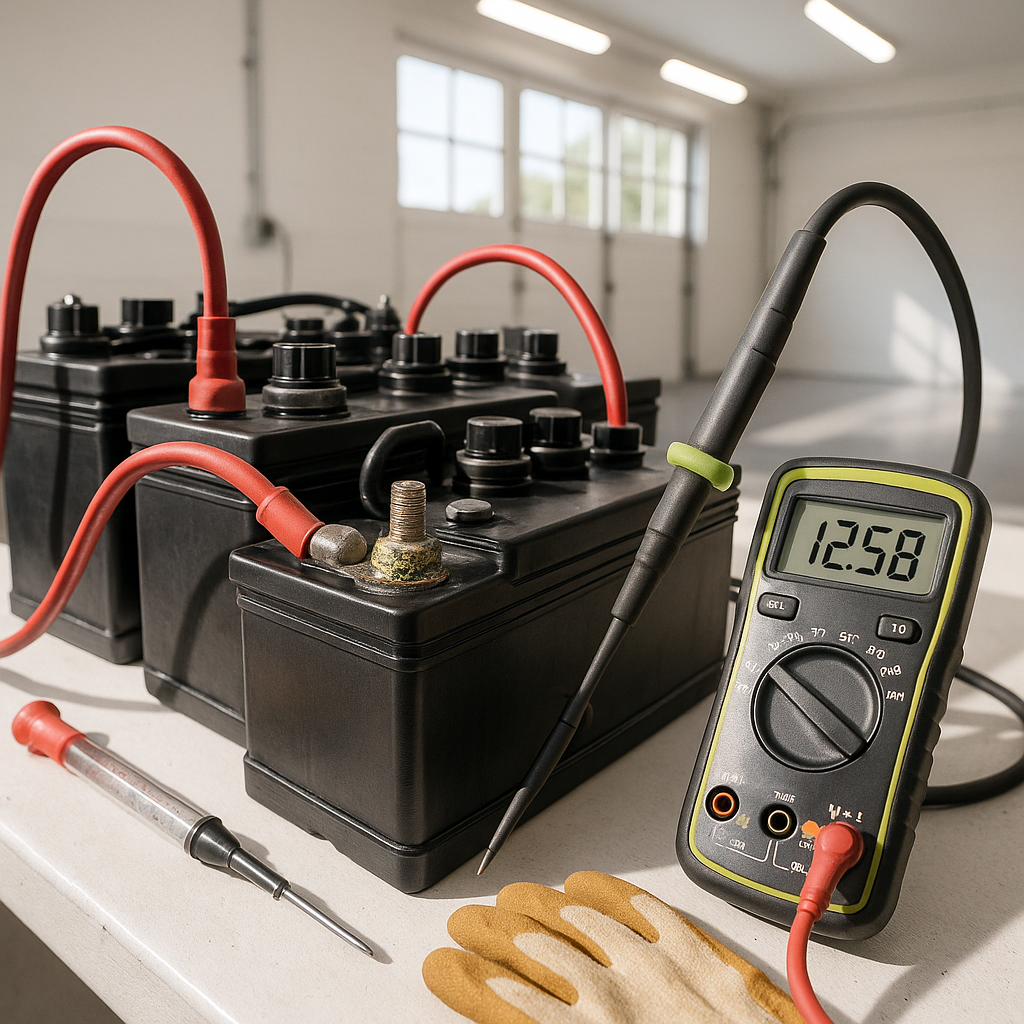
Before you touch a multimeter, look at what you have. Check each battery for cracked or bulging cases — physical deformation usually means the battery has been overcharged or has frozen at some point, and it's not coming back. Look at the terminals and cable connections for heavy white or blue-green corrosion buildup. Corrosion increases resistance dramatically and can make a healthy battery pack behave like a weak one. Clean terminals down to bare metal before you draw any electrical conclusions. On flooded lead-acid batteries, also check water levels — cells that have run dry will sulfate internally and lose capacity quickly, sometimes permanently.
Check Resting Voltage on Each Battery
A basic DC voltmeter is your best friend here. After the pack has rested for several hours (not immediately after charging or discharging), check the voltage on each individual battery. On a flooded or AGM lead-acid golf cart battery, a fully charged battery at rest should read noticeably above its nominal voltage. More importantly, you're looking for consistency across the pack. If most batteries read similarly but one is significantly lower, that battery is the weak link dragging down the whole system. A pack is only as strong as its weakest battery, and one bad unit affects the performance of every other one.
Do a Load Test
Resting voltage only tells part of the story. A battery can read full voltage at rest and still collapse under load — this is called a "surface charge" problem and it's common in older or sulfated batteries. The real test is how the battery performs when current is being drawn. You can use a dedicated battery load tester for this, or simply take voltage readings while the cart is under load (moving on flat ground) and watch for dramatic drops. A battery that sags severely under even moderate load has lost internal capacity and needs to be replaced. Do this check on each battery individually if you can isolate them, or at minimum across the full pack while driving.
Rule Out a Parasitic Drain
If your batteries seem to hold charge fine right after a charge cycle but lose it quickly while sitting unused, you likely have something drawing current when the cart is off. Aftermarket accessories — lights, stereos, GPS units, USB ports — are the most common culprits. Check whether any of these are wired directly to the battery rather than through a switched circuit. A small but constant drain can flatten a battery pack over a few days. You can check for this with a DC ammeter placed in series with the main battery connection while the cart is off and all switches are in their off position. Any measurable current draw when nothing should be running points to a parasitic drain you need to track down and fix.
Evaluate Your Charger
A charger that isn't finishing its charge cycle properly can leave your batteries chronically undercharged, which over time accelerates sulfation and reduces capacity. If your charger shuts off early, runs unusually briefly, or doesn't reach the voltage it should at the end of a cycle, the charger itself may be the cause of your "battery" problem. On older automatic chargers, faulty timers or relay issues can cause premature shutoff. Also check that the charger output voltage is appropriate for your pack — charging a 48V pack with a 36V charger (or vice versa) will cause serious problems. If you've recently changed your pack configuration, double-check charger compatibility.
Assess Battery Age and History
Lead-acid golf cart batteries have a finite lifespan, typically measured in charge cycles rather than years alone. Deep, repeated discharges shorten that life. If your batteries are several years old and have been through heavy use, declining capacity may simply be age. Lithium batteries last significantly longer in cycle count but they're not immune to issues either — a faulty BMS (battery management system) can cause a lithium pack to cut out early or refuse to charge fully. Knowing your battery type and approximate age helps you calibrate expectations and decide whether a full replacement is warranted or whether you're still dealing with a fixable issue.
When to Replace vs. When to Repair
If load testing reveals one bad battery in an otherwise healthy pack, replacing just that unit can restore performance — but only if the remaining batteries are still in reasonably good shape. Mixing significantly aged batteries with a new one is generally a losing strategy because the new battery will be forced to compensate for the weak ones. If the whole pack is old and testing shows multiple weak units, a full replacement makes more sense than piecemeal repairs. Whatever you replace, make sure your cable connections, terminals, and charging setup are in good order first — putting new batteries into a system with corroded cables or a bad charger just means you'll be having this conversation again sooner than you should.


