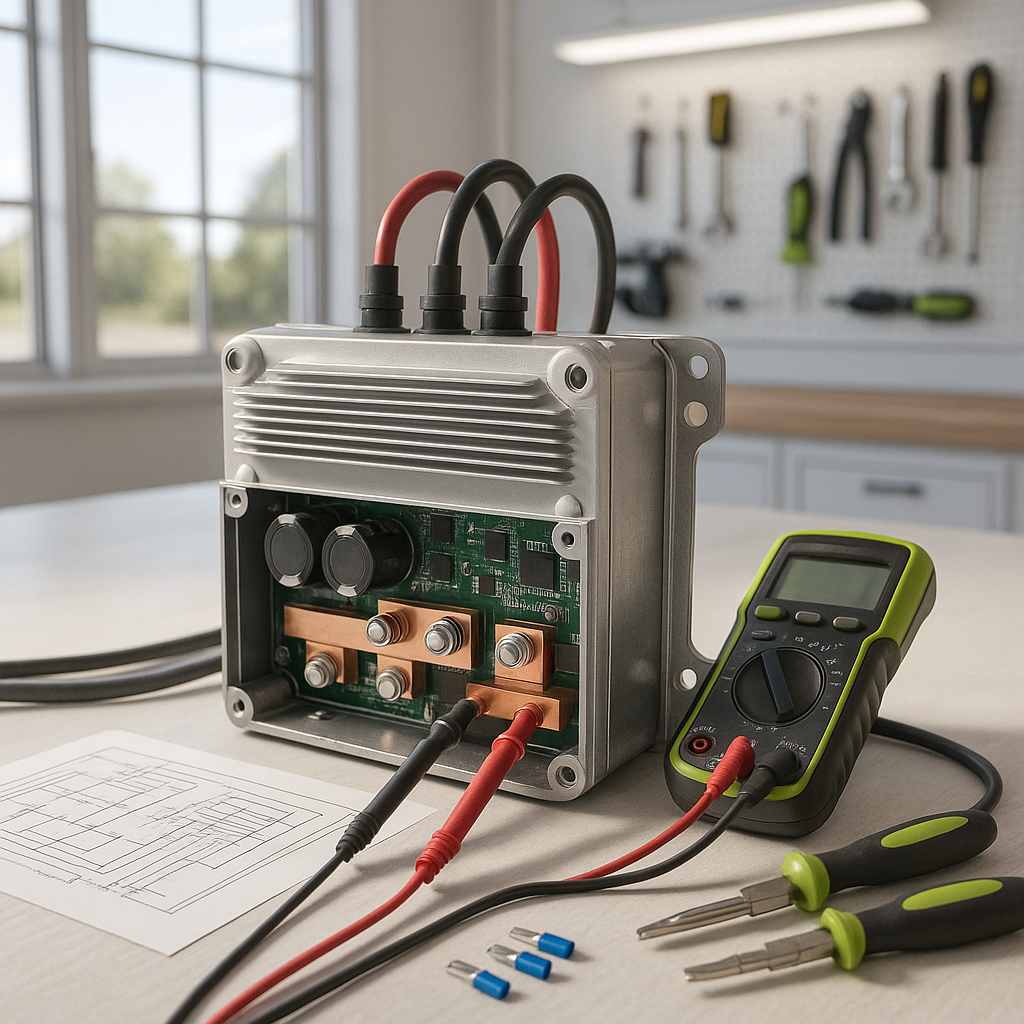
The motor controller is the brain of your electric golf cart's drivetrain — it takes input from the accelerator pedal and tells the motor exactly how much power to deliver. When it fails, the symptoms can look like almost anything: no movement at all, jerky or inconsistent acceleration, top speed that suddenly drops, or a cart that acts completely dead even though the batteries are fully charged. Before you replace an expensive controller, though, it's worth working through a proper diagnosis. Many controller "failures" turn out to be bad connections, a failing throttle sensor, or a fault upstream that's putting the controller into a protection mode.
Start With the Obvious: Batteries and Connections
A motor controller can only work with what it's given. If the pack voltage is low or one battery in the string has a bad cell, the controller will behave erratically or simply won't power up at all. Check each battery's voltage individually with a load tester, not just a resting voltmeter reading. Beyond voltage, inspect every cable connection in the system — especially the main power leads going into and out of the controller itself. Loose or corroded terminals create resistance that can mimic controller failure and, over time, can actually damage the controller by causing it to run hot. Clean any corrosion, tighten connections, and retest before going further.
Check for Fault Codes
Most controllers made in the last couple of decades have some form of built-in diagnostics. Depending on your cart's make and age, fault codes may flash through the dash, display on a handheld programmer, or require a specific sequence to read out. Consult your cart's service manual for how to access these codes — they can point you directly at the problem, whether that's an input signal issue, an overcurrent condition, or a thermistor fault inside the controller itself. If you skip this step, you risk replacing a controller that was only protecting itself from an underlying problem that will kill the new one too.
Test the Throttle Input (ITS or Potentiometer)
The controller reads throttle position through either an inductive throttle sensor (ITS) or a potentiometer, depending on your cart's age and platform. A failing throttle sensor sends a bad signal that can make the controller appear dead or cause it to surge and hesitate. With a multimeter set to DC voltage, you can check whether the signal voltage changes smoothly and linearly as you slowly depress the accelerator pedal. An erratic, jumping, or missing signal means the sensor — not the controller — is your culprit. This is a relatively inexpensive fix compared to a controller replacement and is commonly misdiagnosed.
Check the Controller's Heat and Physical Condition
Motor controllers are solid-state devices that fail in predictable ways when they overheat. Look at the controller's mounting surface — it should be bolted firmly to a metal heat sink or the cart's frame. A controller that has vibrated loose from its mount will run hot and fail early. While you're inspecting, look for any sign of burn marks, swollen or cracked casing, or a smell of burned electronics around the unit. Internal damage is generally not repairable in the field, but confirming physical damage tells you definitively the controller needs replacement rather than further troubleshooting.
Verify the Key Switch and Run/Tow Switch
Two overlooked inputs that can make a cart appear to have a dead controller are the key switch and the run/tow switch. The controller won't activate if it isn't seeing a clean enable signal from the key switch. Test it with a multimeter to confirm it's actually closing the circuit when turned. Similarly, if your cart has a run/tow switch — common on many Club Car and EZGO models — make sure it's firmly in the Run position. A switch that is physically between positions or has a failing contact internally can leave the controller completely disabled with no other obvious symptom.
Perform a Resistance Check on the Motor
If all the inputs to the controller check out and it still isn't commanding the motor, the problem might actually be a shorted or grounded motor rather than the controller itself. A motor that has developed an internal short can cause the controller to enter a fault/protection state immediately on startup. With everything disconnected and power off, use a multimeter to check resistance between the motor's armature and field terminals and between those terminals and the motor case. A reading near zero ohms to the case indicates a grounded winding — a motor problem, not a controller problem. Replacing a controller without catching this will result in the new controller failing quickly for the same reason.
When the Controller Is Actually the Problem
If you've confirmed good battery voltage, solid connections, a clean throttle signal, proper switch inputs, and a healthy motor — and the cart still won't move or behaves erratically — the controller itself is the likely failure point. When sourcing a replacement, the critical specs to match are system voltage and current rating. Installing a controller with a lower current rating than your system demands will result in premature failure; installing one rated for a different voltage is dangerous. Always verify the replacement is compatible with your specific cart platform, as wiring pinouts and signal types vary significantly between manufacturers and model years.


