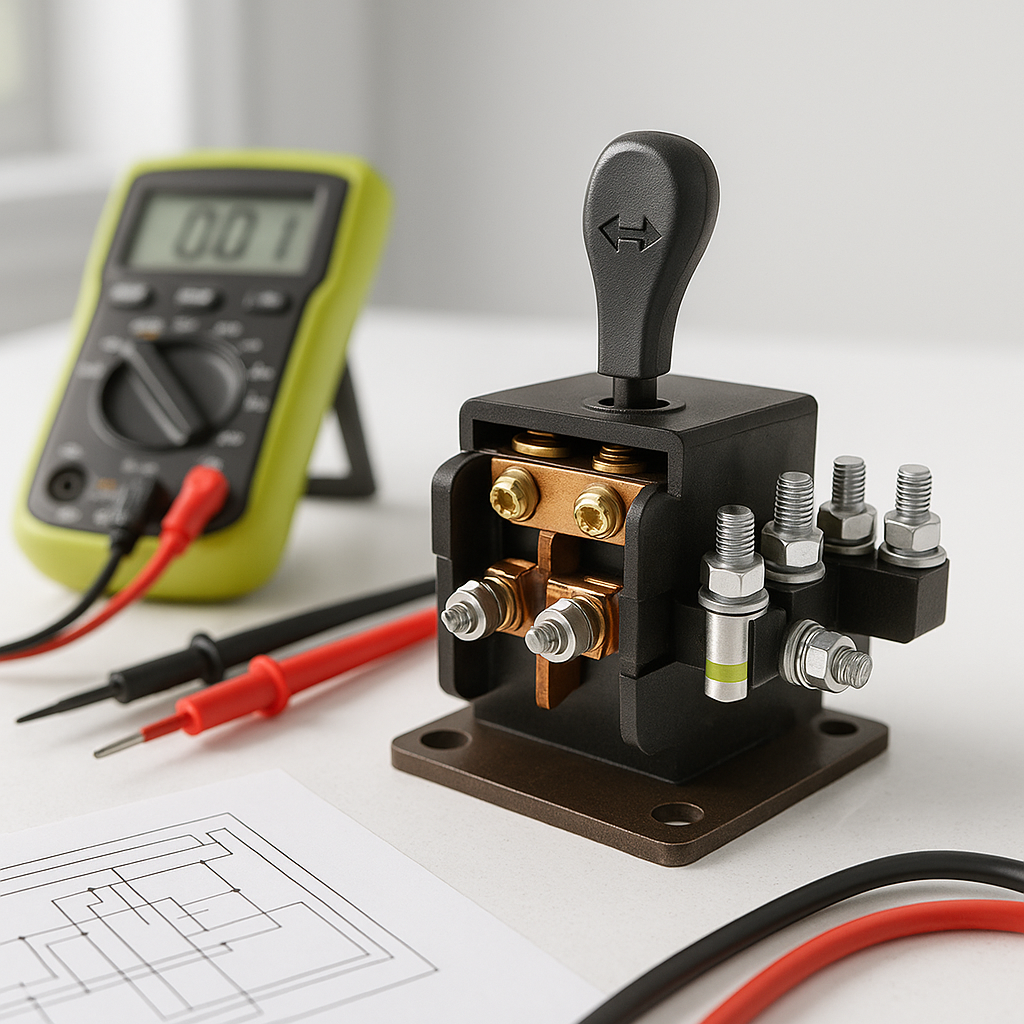
The forward/reverse switch — often called the F&R switch — is one of the most-handled components on any golf cart. Every time you change direction, that switch takes the mechanical input from the shifter and tells the motor or controller which way to spin. When it starts to fail, the symptoms can range from mildly annoying to completely stranding you mid-round. The good news: a systematic check usually points you straight to the problem without guesswork.
Common Symptoms of a Failing F&R Switch
Before you start poking around, confirm you're actually dealing with a switch problem. The most telling signs include: the cart moves in one direction but not the other, the cart hesitates or surges briefly when you shift between forward and reverse, you hear a click or buzzing sound when you shift but the cart doesn't respond, or the cart is completely dead in both directions even though the battery pack is charged and the solenoid is functioning. A cart that only works in one direction is a classic F&R switch failure pattern — one set of contacts wears out or burns before the other.
Start With the Obvious: Mechanical Checks First
Don't jump straight to electrical testing. First, make sure the shift lever or cable is actually moving the switch fully into each detent position. On many carts, the F&R switch is mechanically actuated by a rod or cable that can stretch, slip, or come partially disconnected. Put the cart in forward, then physically inspect the switch body to see if the actuator arm has moved to its full forward position. Do the same for reverse. If the actuator isn't reaching the end of its travel, the switch may be reading a no-man's-land position rather than a clean forward or reverse signal. Adjust or reconnect the linkage before assuming the switch itself is bad.
Visual Inspection of the Switch
With the cart powered down and the key removed, locate the F&R switch — it's typically mounted near the shifter assembly under the dash or seat area. Look for obvious signs of trouble: melted plastic or insulation, burned or blackened terminals, corrosion buildup on the contacts, or wires that have pulled loose from their connectors. Burned terminals almost always mean the switch has been arcing, usually because it was shifted under load (while the cart was still moving) or because of a loose connection causing resistance and heat. Light corrosion can sometimes be cleaned; melted or heavily burned contacts mean the switch needs replacement.
Electrical Testing With a Multimeter
A basic multimeter is all you need to confirm whether the switch contacts are doing their job. Power the cart completely off and disconnect the battery pack or remove the main fuse before probing. Set your multimeter to continuity or resistance mode. The F&R switch has multiple terminals — consult a wiring diagram for your specific cart model to identify which terminals correspond to the forward circuit and which to the reverse circuit. With the switch in the forward position, you should have continuity across the forward terminals and an open circuit on the reverse terminals. Shift to reverse and those readings should flip. If you're seeing continuity where you shouldn't, or no continuity where you should, the switch contacts have failed. No readings at all in either position often points to a broken internal contact or a disconnected wire upstream of the switch.
Check the Wiring, Not Just the Switch
A failing F&R switch is a common culprit, but don't rule out the wiring before condemning the switch itself. Trace each wire from the switch terminals and look for chafed insulation, pinched wires (especially where the harness runs near moving parts or sharp edges), or corroded connector pins. Pull each connector apart, inspect the pins, and reseat them firmly. A single corroded or backed-out pin in a connector can create the same symptoms as a dead switch — intermittent operation, failure in one direction, or complete loss of response. On older carts, the insulation on wires in this area can get brittle and crack, creating shorts or open circuits that are easy to miss until you look closely.
Gas vs. Electric: One Key Difference
On electric golf carts, the F&R switch is a critical part of the motor circuit — it controls the direction of current flow through the motor windings, often working in conjunction with the motor controller. On gas carts, the F&R switch is part of a different system, typically connected to a transaxle or transmission mechanism rather than directly controlling motor direction. The diagnostic approach is similar at the switch itself, but if you've confirmed the switch and wiring are good on a gas cart and the problem persists, the issue may be in the transaxle engagement rather than the electrical system. Know which type of drivetrain you're working with before drawing conclusions.
When to Replace Instead of Repair
F&R switches are generally not serviceable — if the internal contacts are burned or worn, replacement is the right call. These are typically inexpensive components, and a new switch is always a more reliable fix than trying to clean or reshape damaged contacts. When buying a replacement, confirm compatibility with your cart's make, model, and year, and match the terminal configuration to your existing wiring. If you're not confident in the wiring diagram, photograph the original switch and its connections thoroughly before disconnecting anything so you have a clear reference for reinstallation.


