If your golf cart has been running sluggishly, throwing intermittent power loss, or simply refusing to hold a charge the way it used to, corroded battery terminals are one of the first things you should check. Corrosion is one of the most common — and most overlooked — causes of electrical gremlins in golf carts. The good news is that diagnosing it requires no special tools and fixing it is straightforward. The bad news is that if you ignore it, corrosion can quietly destroy a perfectly good battery pack from the outside in.
What Corrosion Actually Is (and Why It Happens)
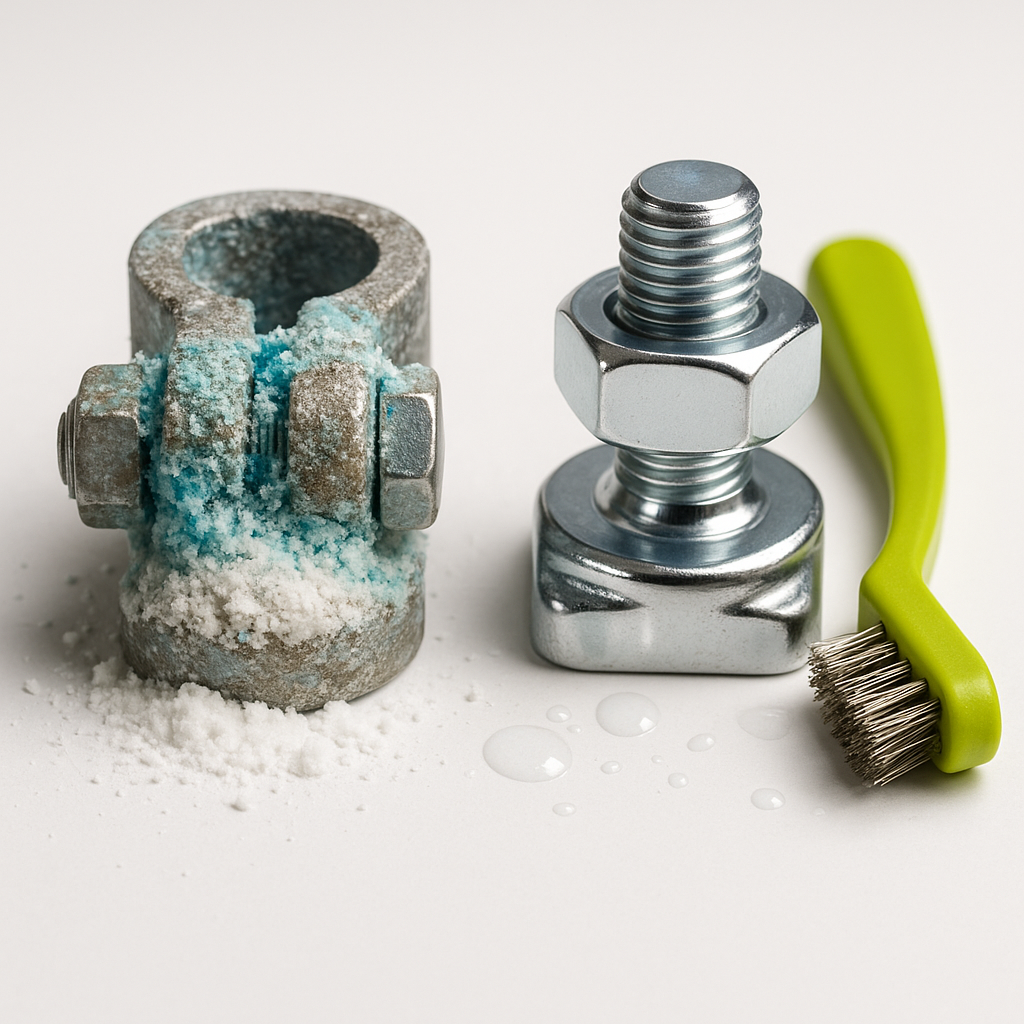
That white, blue-gray, or greenish crust you find caked around battery terminals is primarily lead sulfate and other byproducts of the electrochemical reaction happening inside your batteries. Flooded lead-acid batteries — still the most common type in golf carts — release hydrogen gas and acidic vapor during charging and discharging. That vapor finds the nearest metal connection (your terminals and cable ends), reacts with it, and builds up over time. Heat accelerates the process, overcharging makes it significantly worse, and a battery that's already aging tends to off-gas more than a healthy one. Lithium battery systems are far less prone to this kind of terminal corrosion, but they're not completely immune to oxidation at connection points either.
How to Spot It on Your Cart
Start with a visual inspection. Disconnect your charger, let the pack sit for a few minutes, and then take a close look at every terminal and cable end in the battery bank — not just the main positive and negative leads, but every inter-battery cable connection in the series. Corrosion doesn't always show up as a thick crust; sometimes it's a faint powdery film or a slight discoloration around the terminal post. Check the cable ends where the lug crimps or bolts down onto the post — that gap is a favorite hiding spot. Also look at the underside of cable lugs and any areas where cables sit close to the battery tops, since acid spray can travel.
Symptoms That Point to Terminal Corrosion
Corrosion increases resistance at the connection point, and resistance is the enemy of electrical performance. Common symptoms include sluggish acceleration that seems to get worse as the pack ages, voltage that reads reasonably okay under no load but drops sharply under load, a charger that seems to finish quickly or behaves inconsistently, and in worse cases a cart that simply won't move despite the batteries reading charged. Heat coming from a specific terminal or cable end during or after use is a serious red flag — that's resistance turning into heat, which can damage cables, melt insulation, and in extreme cases cause a fire. If you feel warmth at a connection that's supposed to be cool, address it immediately.
How to Clean It Properly
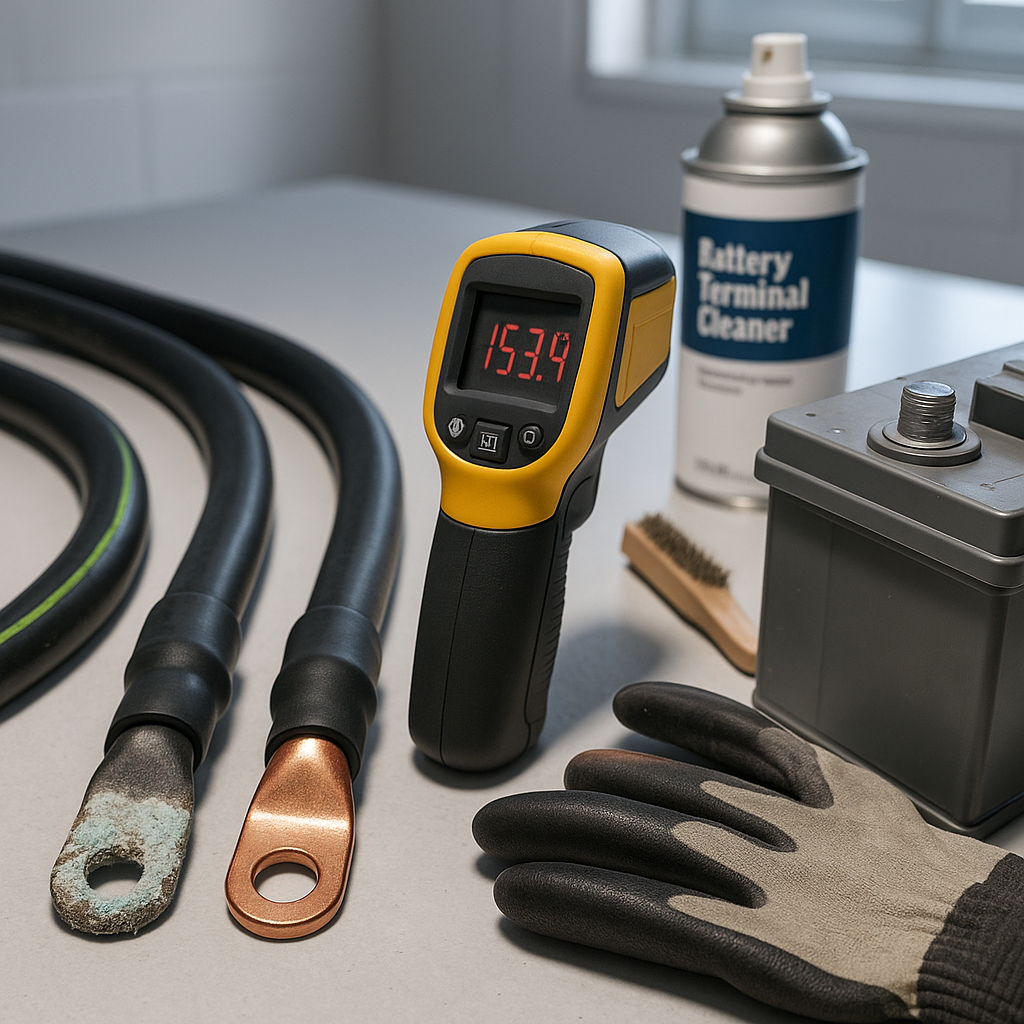
Safety first: battery terminals carry real current, and lead-acid batteries produce hydrogen gas. Work in a ventilated area, wear eye protection and chemical-resistant gloves, and keep sparks and open flames away. Disconnect the pack before doing any cleaning — start from the main negative terminal and work your way through the series. A solution of baking soda and water is the standard neutralizer for lead-acid corrosion; apply it carefully to the affected terminals and let it fizz and neutralize the acid residue. Use a stiff-bristled brush (a dedicated battery terminal brush works well) to scrub the posts and the inside of the cable lugs. Rinse with clean water and dry thoroughly — moisture left behind just restarts the problem. Once everything is clean and dry, inspect the cable lugs themselves: if the copper inside looks black, green, or pitted, the corrosion has worked its way into the conductor, and the cable should be replaced rather than cleaned.
After Cleaning: Protect the Connections
A bare, clean terminal will start oxidizing again almost immediately. Apply a corrosion-inhibiting grease, spray, or terminal protector to every post and lug after reassembly. High-temperature dielectric grease works, and there are products made specifically for battery terminals that go on as a liquid and cure into a protective coating. Don't use petroleum jelly on battery terminals — it's a common old-school recommendation, but it can degrade certain cable insulations over time and isn't as effective as purpose-made products. Felt terminal washers (the red and green fiber rings) soaked in a corrosion inhibitor are an inexpensive passive measure that many fleet operators swear by.
When Corrosion Is a Symptom, Not Just the Problem
Recurring heavy corrosion — especially if it comes back within weeks of cleaning — is a sign that something deeper is wrong. Check your charger's output: a charger that's consistently overcharging will cause excessive gassing and accelerate corrosion dramatically. A battery that's reaching end of life will also off-gas more than a healthy one. If one battery in the pack is corroding much faster than the others, test that battery individually — it may be internally weak, accepting less charge than its neighbors, and effectively being overcharged every cycle. Replacing one bad battery in a mismatched pack is a temporary fix at best; the weak cell will drag the whole pack down and keep causing problems.
Cable Quality Matters More Than You Think
While you're in there cleaning and inspecting, take stock of your cable condition. Golf cart battery cables live in a rough environment — vibration, heat, acid exposure, and high current draw every time you hit the pedal. Cables with thin copper conductors or poor-quality insulation corrode from the inside out; by the time you see external problems, the conductor may already be partially failed. Quality replacement cables use tinned or coated copper conductors specifically because tin resists corrosion far better than bare copper in this environment. If your cables are original and the cart has significant age on it, replacing them proactively alongside a good terminal cleaning is often worthwhile — it removes a hidden resistance source and gives you a fresh baseline to monitor from.