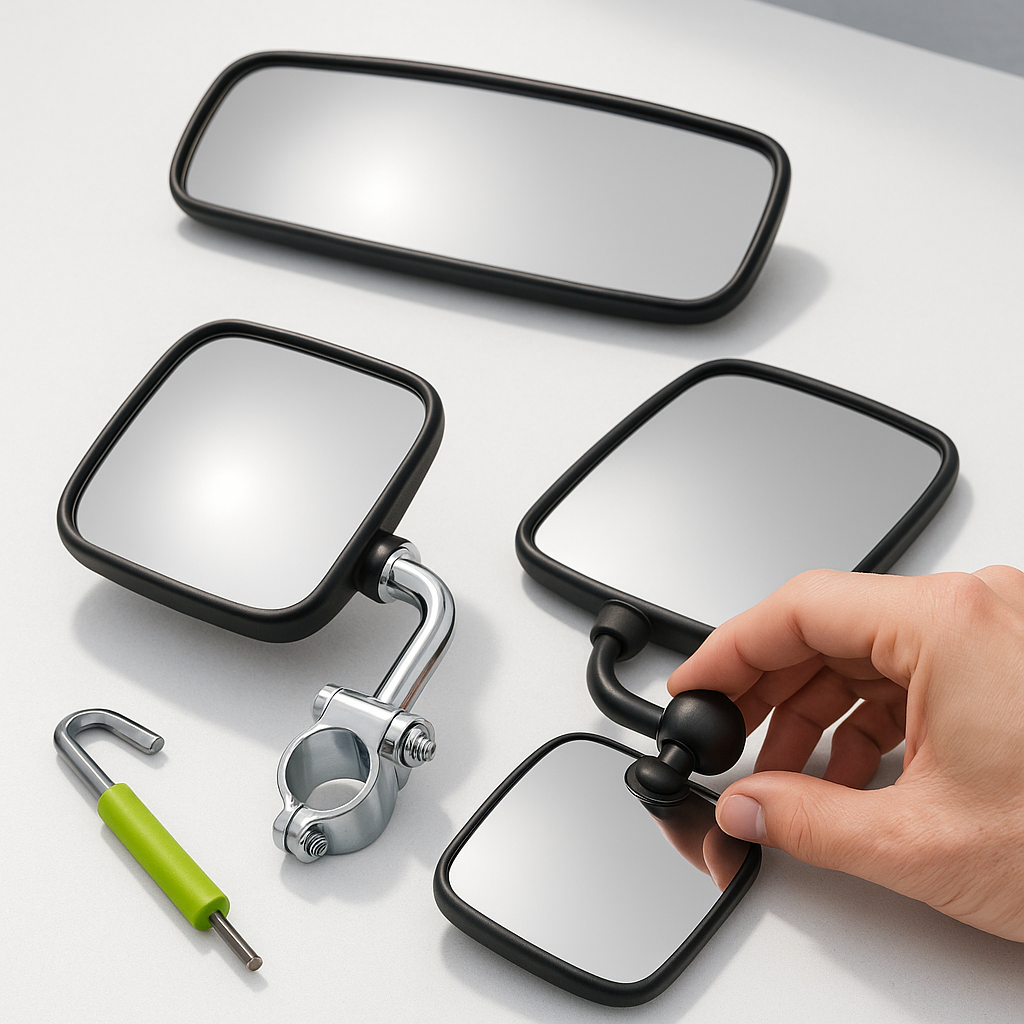
Most golf cart owners bolt on a mirror and call it done. But a mirror that's pointed at the sky or angled too far inward is barely better than no mirror at all. Proper mirror adjustment takes less than five minutes and makes a real difference — especially if you're driving on shared paths, in communities with pedestrian traffic, or towing anything behind the cart. This guide covers how to dial in both side mirrors and a rear view mirror so you're actually using them, not just wearing them.
Understand What Your Mirrors Should Cover
Before you start adjusting, know what you're aiming for. A rear view mirror should give you a centered view of the area directly behind the cart — ideally showing the full width of the path or lane behind you without you having to crane your neck. Side mirrors should capture the zones just outside and behind each rear corner of the cart, filling in the blind spots that the rear view mirror misses. Together, the three mirrors should give you near-continuous coverage from one side of the cart to the other. If you have to move your head significantly to see into any mirror, it's not adjusted correctly yet.
Step 1 — Get Into Your Normal Driving Position First
This is the step most people skip, and it's the most important one. Sit in the driver's seat exactly the way you normally would while driving — same posture, same height. Don't adjust the mirrors while standing next to the cart. The geometry of what you can see changes completely once you're actually seated. If your cart has an adjustable seat, set it to your preferred position before you touch any mirror hardware.
Step 2 — Set the Rear View Mirror
Reach up to your interior or windshield-mounted rear view mirror and tilt it until the reflection shows the area directly behind the cart, centered left to right. You want to see the path behind you — not the back of your own seat or the roof of any enclosure. If the mirror is mounted on the windshield frame, you may also be able to swivel it slightly left or right to compensate for any mounting angle. Once it looks right from your seated position, gently tighten any locking hardware just enough to hold the angle without cracking the mirror housing. Overtightening a plastic mirror mount is one of the most common ways to break one.
Step 3 — Set the Driver's Side Mirror
From the driver's seat, adjust the driver's side mirror so you can just barely see the side of the cart in the inner edge of the mirror frame — about 10 to 15 percent of the mirror's width showing the cart itself. The rest of the mirror face should show the zone behind and to the left. If you can see a lot of the cart's body, you're aimed too far inward and you're wasting mirror real estate on something you already know is there. Nudge it outward until the cart body is just at the inner edge.
Step 4 — Set the Passenger's Side Mirror
The passenger's side mirror needs to be adjusted the same way, but because it's farther from your eyes, you'll naturally see more of the cart's body in it — that's normal. Apply the same principle: cart body on the inner edge, open road or path filling the rest of the mirror. For this mirror, you may need to walk around to make small physical adjustments, then return to the driver's seat to check. It takes a few back-and-forth passes, but it's worth doing correctly. A passenger-side mirror set too inward is nearly useless for detecting cyclists or pedestrians coming up alongside the cart.
Check for Vibration and Stability
Once all three mirrors are set, take the cart for a short drive on a typical surface. Mirrors on golf carts — especially those clamped to thin windshield frames or roof struts — can vibrate significantly at speed. If the image in a mirror is shaking enough to be hard to read, the mount hardware needs to be tightened, or the mounting location itself isn't rigid enough. Sometimes moving a clamp-style mirror a few inches to a stiffer section of tubing completely solves the problem. Check all hardware after the first drive and re-tighten anything that has shifted.
Re-Check After Passengers or Cargo Change
If your cart regularly carries passengers or hauls cargo in a rear seat or cargo bed, re-check your rear view mirror angle when it's loaded versus empty. Added weight can change the cart's stance slightly, and a full rear seat can block a rear view mirror that worked perfectly when the cart was empty. In some cases — especially with rear-facing back seats — a rear view mirror becomes genuinely limited and side mirrors become your primary tools. Adjust your habits and your mirror angles accordingly.